
NorseMania Casino Mobile Version: Playing on Your Phone
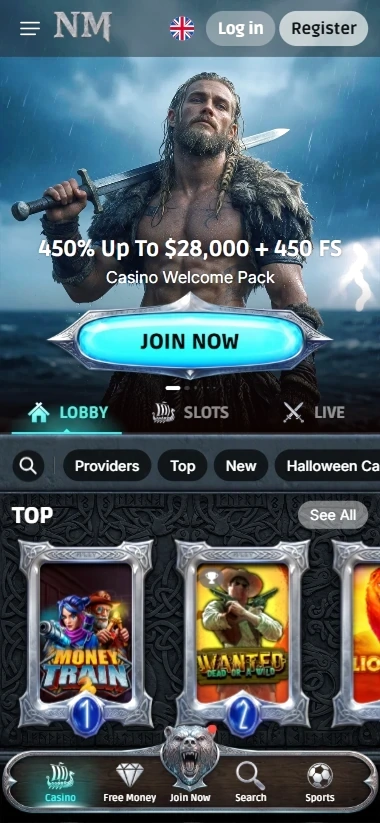
NorseMania Casino has no dedicated app: there is no iOS or Android client in the App Store or Google Play. You can play on your phone through a mobile browser, which provides access to the full catalogue of 11,942 titles. To get started, open the website on your smartphone, register with an email address and password, and go to the slots.
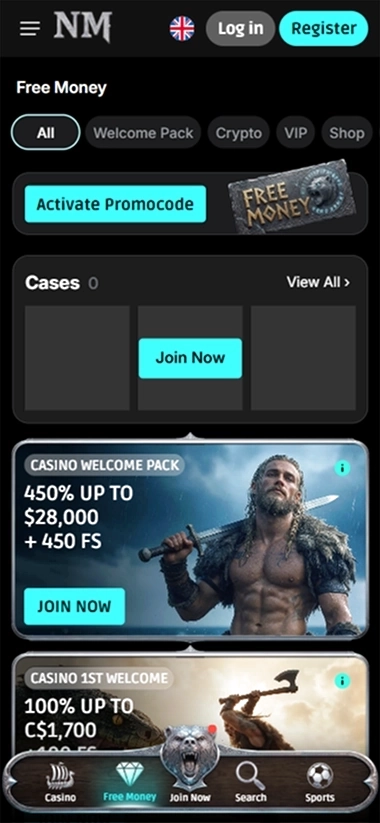
The mobile site mirrors the desktop version: slots, live-dealer tables and the cashier work in the browser in the same way. Introductory offers and the daily prize wheel are available on the same terms as on a computer.
Available Mobile Versions
Mobile access is provided through a responsive website that opens in a smartphone or tablet browser on iOS and Android. The operator also has no standalone PWA that can be pinned to the home screen as an independent application. Sign in using the same email and password as on desktop; no additional files need to be installed.
The browser provides the full entertainment catalogue, a cashier for adding and withdrawing funds, and customer support. The interface has two language options: English and French. Pages adapt to screen size, so navigating the lobby, promotions and account area on a smartphone works much like it does on a computer.
System Requirements
All features open in a mobile browser using the same account as on a computer. The website has been confirmed to work on Android devices and iPhones. The operator does not publish minimum operating-system versions, processor specifications, RAM requirements or screen resolutions.
Slots, table titles and live-dealer tables launch directly in the browser window without taking up device storage. The only technical requirement is a stable internet connection. This is particularly important for live streams, where a dropped connection can interrupt a round.
The operator does not request access to the camera, contacts or geolocation.
How to Open the Website on Android
On Android, any suitable browser, including Chrome, is enough. Open the website using its address or a saved bookmark, then sign in with your email and password. For quicker access, you can add the page to your home screen through Chrome’s menu.
There is no need to enable installation from unknown sources in your settings because nothing is downloaded to the device.
Avoid APK files distributed by third-party websites under the operator’s name. The operator has not released such files, and their origin and contents cannot be verified. Installing one could expose your username, password and payment details.
How to Open the Website on iPhone or iPad
There is no iOS app in the App Store, so iPhone and iPad owners use the website through Safari. The browser version includes the catalogue, cashier and support chat, making a separate download unnecessary.
To open the website with one tap, add it to your home screen:
- Open Safari on your iPhone or iPad and visit the operator’s website.
- Tap the Share button in the browser’s bottom or top toolbar.
- Select “Add to Home Screen” and confirm.
The icon works as a bookmark: it launches the same browser-based version and does not receive updates through the App Store.
Installing a PWA
The operator has no official PWA, so a smartphone home-screen icon is simply a browser bookmark. Safari, Chrome and other HTML5-compatible mobile browsers support this without additional software.
Open the website in your browser, choose “Add to Home Screen” from the menu and confirm. You can then launch the site directly from the device’s home screen.
Such a shortcut is not a full PWA: it opens the regular mobile website in a browser window, without offline access or push notifications. If the browser has not retained your session, you will need to sign in again using your email and password.
How to Sign In
Sign-in is possible only with the email and password provided at registration. Google, Facebook and other third-party login methods are not supported, so they cannot be linked to the account.
If you lose your password, the operator sends a reset link to the mailbox associated with your account. SMS and phone verification are not used for recovery, so it is important to retain access to that email address.
On a phone, sign in through the mobile browser using the same form and credentials as on a computer. You can also reset your password from a smartphone by email.
Games and Sports Betting on a Smartphone
Mobile browsers can launch Wanted Dead or a Wild, Miami Mayhem and Lofi The Yeti. More elaborate mechanics can be found in Elephant’s Gold: Bonus Combo and Buffalo’s Wealth Win Spins. Le Fisherman has medium-high volatility and a maximum payout of 15,000x.
Mobile slot suppliers include Hacksaw Gaming, Red Tiger, Yggdrasil and Big Time Gaming. Crash rounds and live-dealer tables are also available, although an exact match with the desktop catalogue has not been confirmed.
The sportsbook covers football, tennis, hockey and cricket, including Premier League and UEFA Champions League fixtures. Counter-Strike is available among the esports markets.
Adding Funds and Withdrawing on Mobile
The mobile cashier opens in the phone’s browser and separates funding from withdrawals. Smartphone digital wallets work in one direction only: Apple Pay and Google Pay accept incoming payments but cannot be used for payouts. An iPhone owner who funded an account through Apple Pay should arrange a card or another wallet for withdrawals in advance.
Cryptocurrencies work both ways, including Bitcoin, Ethereum, Litecoin and Tether. Each coin is credited in its own currency, without conversion to fiat. On a phone, simply paste the wallet address from the clipboard and confirm the transfer in the wallet app.
Identity-check documents can be photographed with the smartphone camera and submitted directly through the cashier. The operator offers payout-method selection in the same section.
Notifications and Settings
The operator provides no iOS or Android apps, so there are no native push notifications on smartphones. Apple’s or Google’s system notification centre receives no messages from the website, and the available information does not mention browser push notifications.
Email is the main confirmed communication channel. Password-reset messages go to the address in the profile, so keep access to that mailbox: there is no alternative recovery method.
Notification, cookie and pop-up permissions can be changed or revoked in the browser settings. The interface is available in English and French. The operator does not show a section for turning off promotional emails or payment alerts by category, so mailing-list questions should be directed to support.
Updating the Mobile Browser
The service operates without native iOS or Android apps: it is not listed in the App Store or Google Play, and the operator does not distribute APK files.
The mobile website is updated automatically on the server. Changes to the interface, cashier or catalogue become available to all users, and the browser loads the latest version when the page is next opened.
Account details, balances, betting history and loyalty progress are stored on the server rather than tied to a device. After changing phones or reinstalling a browser, simply sign in with your email and password to retrieve the same information.
If a page displays incorrectly after an update, for example if buttons move or the cashier freezes, reload it first. If that does not help, clear the website’s cache and cookies and sign in again. Also update your mobile browser to the latest version.
Security
The operator holds an offshore Anjouan licence, so player protection relies on its internal controls rather than the requirements of European regulators.
Responsible gambling tools are available in the account area and through support: funding limits, wager restrictions, a short break, temporary or indefinite self-exclusion, and full account closure. Wager limits cannot be increased during a session. GamCare, Gamblers Anonymous and Gambling Therapy offer assistance with signs of gambling harm. To protect minors on shared household devices, the website recommends parental-control software such as Net Nanny.
Features of the Browser Version
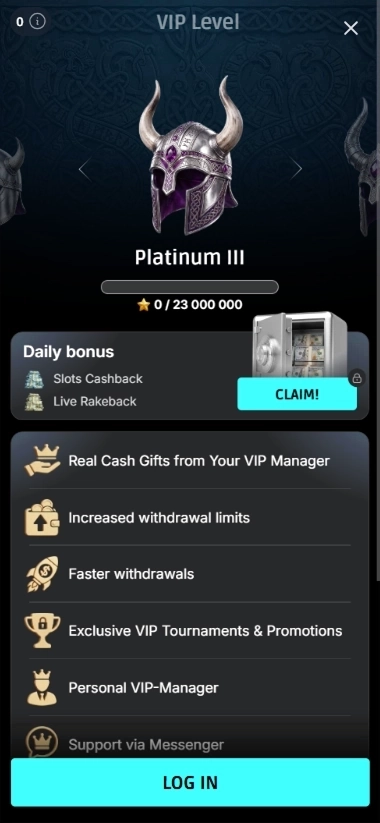
There is no standalone app, only a mobile website accessible through a smartphone or tablet browser. The useful comparison is therefore between the mobile and desktop versions, rather than between an app and a website.
| Feature | Mobile Website | Desktop |
|---|---|---|
| Devices | Android and iOS via browser | PC and laptop via browser |
| Catalogue | No restrictions compared with desktop | Full selection |
| Languages | English, French | English, French |
The mobile version mirrors the desktop site’s features: the cashier and account can be used from any device, with nothing to download from an app store.
Potential Account Problems
Accounts use an email-and-password combination only; social sign-in is not supported. If the system says your address is already in use, try signing in with that email. If the password is rejected, request recovery: a reset link will be sent to the address provided during registration.
Customers cannot change an incorrectly selected country or account currency themselves; support handles those corrections. It is advisable to complete KYC before the first withdrawal.
If an account is temporarily unavailable, a previously activated access restriction may be the cause. Contact support to have it reviewed.
For other issues, contact live chat, available 24/7. Use email when documents need to be attached.
Conclusion
The mobile site works in English and French through a browser. It uses HTML5, giving smartphone users access to slots, table titles and the live-dealer section.
There are no native iOS or Android apps, so customers accustomed to app-store installations and push notifications may find the format inconvenient. Russian localisation is also unavailable, which is a drawback for Russian-speaking users.
Before activating any offer, check the wagering conditions in the promotions section: the maximum wager restriction applies on smartphones too. For those seeking mobile access without downloads, the browser-based option remains practical.