
NorseMania Casino Registration: Account Setup and KYC
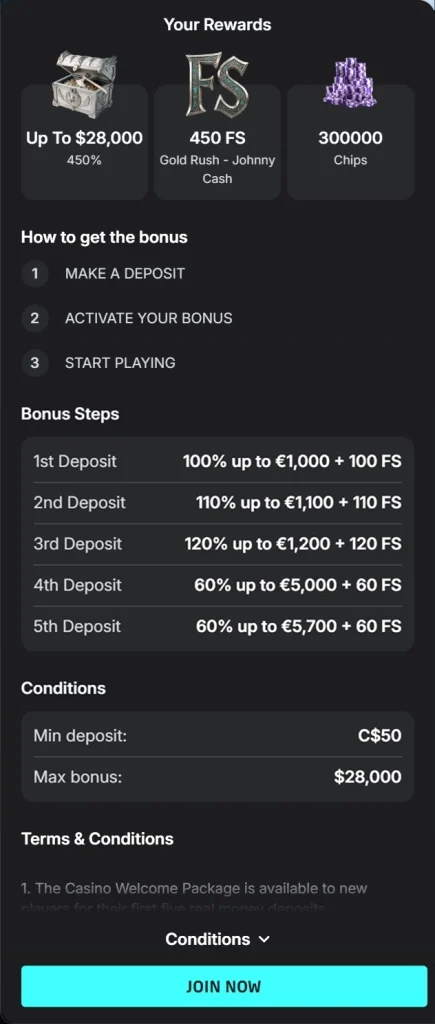
There is only one way to register: with an email address and password, without social sign-in. The short form asks for basic contact details and takes just a few minutes to complete. Once an account is created, customers can access a catalogue of 11,942 titles, while the first payment qualifies them for the Welcome Package: 450% up to $28,000 and 450 free spins.
Three steps follow registration. First, confirm your email address using the link in the message. Next, complete the mandatory KYC check. Finally, make the initial payment to activate the introductory offer. A forgotten password can be reset through the same email address listed in the profile.
The website interface is available in English and French. The operator provides no dedicated iOS or Android apps. An account created on a computer can be accessed in a smartphone or tablet browser using the same credentials.
One account provides access to every section, including slots such as Le Fisherman and Miami Mayhem, live tables and a sportsbook covering 25 disciplines. There is no need to register separately for each area.
Registration Methods
The operator supports just one account-creation method: email and password. The address serves as both the username and the channel for recovering access. Social networks and third-party accounts cannot be used to sign in, so a profile cannot be linked to an external service.
There are no dedicated iOS or Android apps in the App Store or Google Play. Users complete the form in a browser on a computer, smartphone or tablet. Mobile sign-in uses the same website, with no software installation required.
Registration Guide
Registration takes a few minutes and consists of three main actions. Some details are requested directly in the form, so it helps to have a working email address ready.
- Complete the form. Enter a valid email address, create a unique password that you do not use for other services, and provide any other details requested by the website.
- Accept the terms. Agree to the operator’s rules and confirm that you are at least 18 years old.
- Activate the account. Follow the link in the email sent to the address provided, then sign in with the same email and password.
Once signed in, the account is ready to be funded through the cashier. If anything goes wrong at any stage, contact the site’s support team.
Choosing a Currency and Country
The cashier lists CAD as the currency for fiat payments. Cryptocurrency transfers are credited in the selected coin.
The promotional terms specify maximum wagers during wagering for several currencies:
| Currency | Maximum Wager |
|---|---|
| CAD | 8 |
| EUR / GBP / CHF | 5 |
| AUD | 9 |
| NZD | 10 |
The operator does not explain how a customer could obtain an account in EUR, GBP, CHF, AUD or NZD when the fiat cashier operates only in CAD. Nor does it describe whether the currency can be changed after registration, so it is worth checking with support before the first payment.
Email or Phone Verification
Accounts are created using only an email address and password. That address serves as the username, the contact channel with the operator and the sole destination for password-recovery messages. If an incorrect address is entered during registration, the customer will be unable to recover access independently.
Phone verification is not required: the operator does not ask users to link a number to their account or send an SMS code. There is also no description of how to resend the verification email, so it is unclear whether a resend button exists or how often it can be used.
If the message does not arrive, contact live chat or email support. The interface and assistance are available in English and French, so write your enquiry in one of those languages.
How to Sign In
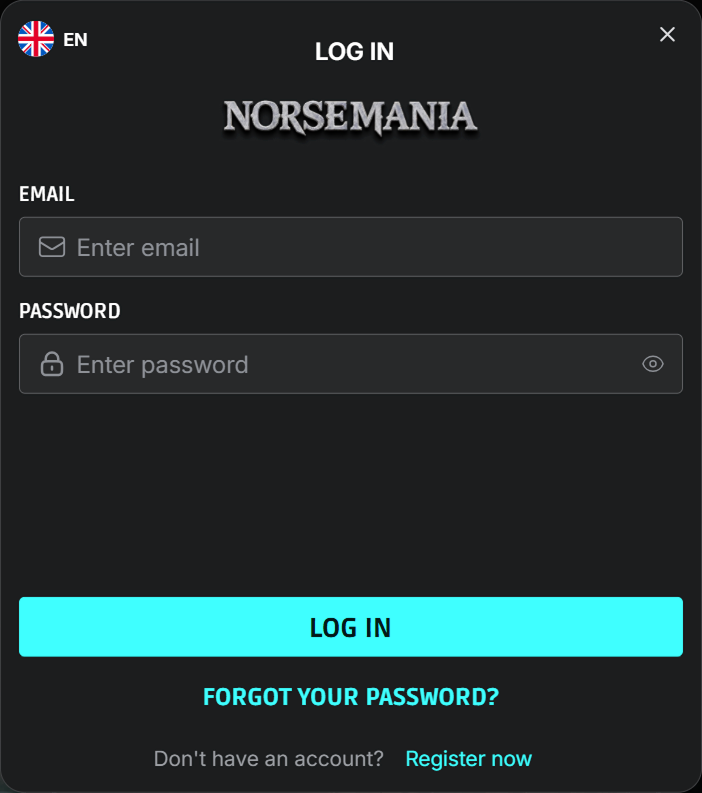
On desktop, the sign-in button is at the top of the website beside the registration button. Use the same credentials supplied when creating the profile: email and password. Google, Facebook and other external sign-in options are not offered. If the password is lost, the operator sends a reset link to the registered email address.
No information is provided about a “Remember me” feature, so sessions may not persist between visits. On a shared or borrowed computer, sign out manually after use and avoid saving the password in the browser.
Because there are no apps, smartphone and tablet users sign in through a mobile browser in the same way as on desktop. The balance, betting history and active promotions remain in the same profile across devices.
Recovering Account Access
Passwords can only be reset through the email address used at registration. Recovery by phone number is not available.
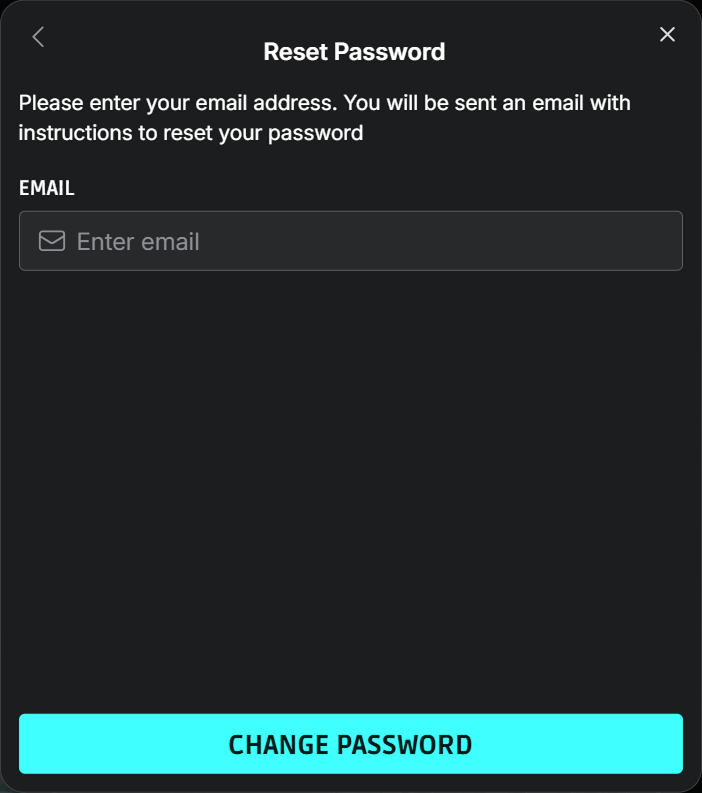
On the sign-in page, select the reset link, enter the registered address, follow the link in the email and create a new password. You can then sign in immediately.
If the message does not arrive, check the spelling of the address and your spam folder.
If you no longer have access to the mailbox, contact support through chat or send a message from another email address. The team may request proof of identity. If documents have previously been verified, the operator can compare the details and link a new address to the profile.
First Payment
After activating the account, customers can add funds through the cashier. Fiat methods accept CAD, while the operator has a separate USDT offer for cryptocurrency users. The required amount depends on the selected promotion.
The introductory offer for the first payment provides 100% up to 1,700 CAD and 100 free spins on a payment of at least 50 CAD. The operator credits the spins as soon as the funds arrive.
For sports bettors, there is a separate promotion: 150% up to 230 CAD across three payments of at least 50 CAD each. It applies only to pre-match selections and carries no wagering requirement. Enter the promotional code in the cashier before confirming payment and review the terms at that point.
Mobile Version
The operator does not offer a native app for either iOS or Android. Access is through a smartphone or tablet browser at the same website address used on a computer.
Pages adjust to the screen width, so no separate download is needed. Instead of installing an app, users can add a website shortcut to their phone’s home screen and open it with one tap.
The same credentials work across all devices. The mobile slot catalogue matches the desktop selection.
Security
Account access is protected by the password chosen during registration. It can be recovered only through the email address used to create the profile: request a reset on the sign-in page, then follow the link sent by email to set a new password. Security therefore depends heavily on access to that mailbox.
If the account history shows a sign-in you do not recognise, change the password immediately and notify the operator. Changes to key profile details, such as a name or email address, are handled only through support. Identity verification is mandatory for all customers.
Conclusion
NorseMania Casino may appeal to customers who enjoy tournaments and prize draws and expect to return regularly: races, the jackpot and a cashback loyalty programme provide plenty of reasons to do so. Those who switch devices frequently and expect a mobile app or quick social sign-in may find the format less convenient, as mobile access is browser-only.
Newcomers and occasional players would be wise to review promotional terms in advance. Before the first payment, read the offer rules and check the maximum wager allowed during wagering: the operator may void winnings if the limit is exceeded. One incorrect stake could therefore wipe out the result.